Who teaches App Inventor? I’ve started to put together a Google map with the basic information of the courses I know about. I’m still working through emails and groups to collect info about people, so please send me your name, course title and description to be added. It looks like a bunch of courses sprouting up this fall so the map should be filling up…here’s a snapshot of the map in Google Earth:
USF Student-Teachers at the Technovation Pitch-Night
No women in computer science? Not so fast! The University of San Francisco’s App Inventor class is helping to encourage more women into the field. These four students, recent A-listers in the USF course, are now helping high school girls learn programming and entrepreneurship in Iridescent’s Technovation Challenge. Jenny Horowitz, Paige Carrington, Julie Cahill, and Melanie Garcia– Way to go!
For more info about the Tech Challenge, check out this PC World article
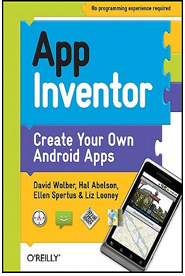
My co-authors are App Inventor creator Hal Abelson and Ellen Spertus and Liz Looney from the App Inventor team. The book has step-by-step tutorials of twelve apps and an “Inventor’s Manual” section that expands on the programming and computer science concepts in the tutorials.
We designed the book to serve as both a how-to guide for mobile app development and a textbook for beginning computer science courses at the university or K-12 level.
If you’ve never programmed but want to learn how to create a mobile app, App Inventor and this book is for you. I’ve been teaching App Inventor to humanities and business students for two years; the book targets a similar audience, explaining things in layperson terms for the absolute beginner.
If you are already a programmer, but want to learn App Inventor, the book provides a comprehensive overview of the language and the environment. You’ll be surprised how quickly you can create apps and the advanced chapters of the book introduce you to advanced topics like connecting apps to the web.
Hal Abelson, the MIT professor who took a sabbatical at Google to develop App Inventor, wrote a recent piece for EDUCAUSE Quarterly. Not surprisingly, Hal’s article deftly characterizes the great potential of App Inventor in education and society. Here’s an excerpt that gets to the gist of App Inventor’s unique educational value:
One of my favorite App Inventor examples comes from an introductory computer appreciation course at Wellesley (one of the Google-sponsored pilots). The instructors, Takis Metaxas and Eni Mustafaraj, had the idea that students should learn about the societal implications of information systems by building some of these systems and seeing first-hand the choices involved. In one example, the class created a polling application. As people walked around the Wellesley campus, they could pull out their phones and see that there was a new poll — for example, “Who is your favorite female singer?” — and select and send their responses, which were recorded by a web server.
At the next class, Eni pulled up the web page and showed the results. Then she pulled up the database and said, “and here’s how you all voted.” The students were startled. In the “private” experience of using their phones to answer a poll, they’d simply not appreciated that:
The polling system could keep track of their identities along with their votes.
This was a choice made by the system designer.
They could experiment with that choice implementing their own variations of the polling system.
As a topic for introductory computing, this goes beyond the issues involved in learning about programming or computational thinking. It gives students direct experience with a technology — online polling — that has major social impact and lets them look through the eyes of the system implementer. By creating their own variations, students explore the design choices and grapple with the implications, social as well as technical. The next time these students encounter polling systems or proposals for electronic voting, they’ll be asking some good questions as informed citizens.
How do we get more women in computer science? App Inventor may be part of the answer.
This year’s Iridescent Technovation Challenge has expanded to NYC and Socal along with the Bay area. This is a program where high school girls spend two nights a week learning app development and entrepreneurship, aided by college students and young professionals. NYC’s program was featured in a PC Magazine article. Three USF students– Jenny Horowitz, Julia Cahill, and Melody Garcia– are instructors at the San Francisco Challenge taking place at Google’s SF offices.
Girls at the NYC Technovation Challenge
The nation-wide finals are May 21 in the Bay Area. I’ll be there!
App Inventor Director Mark Friedman gave a great keynote talk at USF’s CS Night.
Our CS 107 students– non-cs majors with no prior programming experience– presented and demo’d their Android app projects alongside the seniors and MS students.
CS 107 students Jose Malave and Crystal Ferguson show their app
CS 107 student and filmmaker Angelo Taylor
CS 107 student Angelo Taylor documented the night with this short film, and librarian supreme Shawn Calhoun contributed these photos
Clive Thompson of Wired Magazine featured a USF student project in his article, Coding for the Masses. The article features Daniel Finnegan and his No Text While Driving app.
You can check out a refined version of the app as a tutorial on the App Inventor site, and check out a screencast of how to build it on my App Inventor youtube list.
The cat is out of the bag. There’s a primer out on how to publish an App Inventor app in the Android market, via androidworld.it. It takes some work using the Java SDK and some command-line tools but it doesn’t look to awful.
The cat being out of the bag is big news and could help with the next step– one-click publishing directly from App Inventor.
When you package an app in App Inventor and choose “Show Barcode” it generates a QR code that you can use to allow others to install your app. Unfortunately, people can only install it if they are App Inventor users. This is especially problematic while App Inventor is in its invite-required mode.
There is a work-around. This screencast demonstrates a process for downloading an android executable (.apk) from app inventor, getting it on the cloud, and generating a QR code that others can download.
With App Inventor, you can create apps that use the LocationSensor to get the phone’s GPS coordinates. Some of my students have been writing apps to perform such public services as finding the closest pub from their current location. To compute this, they need to convert to GPS lat/long coordinates into a distance in miles.
To help them, I created these quick and dirty screencasts demonstrating how to find a formula on the web then convert it into an app inventor program:




 App Inventor Blog