Google: The Time is Ripe to Flood Schools with Android Devices

I just gave an App Inventor workshop at the CS4HS seminar at the University of Illinois in Chicago– 30 high school teachers from the Chicago area were hosted by UIC professor Dale Reed and sponsored by Google.

One thing I learned is that the kids of Chicago are in good hands, at least the ones lucky enough to learn from these  teachers.

The other thing I learned is that App Inventor is striking a chord with high school teachers. Many have been teaching Java, at least for Advance Placement (AP) courses and they know how few students thrive with that as a beginning language. They see how visual blocks languages like App Inventor and Scratch can work for a much larger subset of the population. They also see the potential for App Inventor to leverage the students’ intense fascination with the tiny computing devices they carry around  in their pockets.

The BIG QUESTION, however, the first one I hear from every high school and university teacher, is

WHERE CAN I GET SOME PHONES?

How can I teach App Inventor if only a few of my students have Android devices?

One answer is that you can develop apps without a phone, using the Android emulator that comes with the free App Inventor software.  If you can scrape together a few phones for your class, or leverage those that your students bring, the emulator-based solution is workable and one I encourage teachers to take.

But there is a much better solution, one with much broader implications, but one which would require some great vision by the folks at Google and perhaps a T-Mobile.  The solution involves giving every student who signs up for  a high school Computing 1 course a device –phone or tablet.  Let them live with it and program it as part of their life. The number of citizens with the ability to create technology would explode explode! The students will learn what software is, they’ll learn problem-solving and logic, and they’ll learn entrepreneurship– how to formulate ideas and create things of use to society.

We’re not talking incremental change, but historical– and at a time when everyone from the Labor Bureau to the White House has identified a need for more programming-savvy citizens.

Why Google? Couldn’t it be some other deep-pocketed organization?

Yes, but right at this moment in history Google has a motive that can make it work. This scheme can win them the multi-billion dollar battle between Android and the iPhone. App Inventor only works for Android and there’s not yet an iPhone equivalent that is even close. This will change, soon, but App Inventor has the momentum, and so does Android in terms of casual “end-user” programming of mobile devices. Partner with a service-provider like T-Mobile, give the high school students a free device and a semester or two of free service, and suddenly you’ve got thousands of young new clients buying Android devices and service for the next 80 years.

USF students create App-Inventor-Compatible Yelp API


App Inventor provides a component, TinyWebDB, which can be used to talk to web data sources (APIs) that follow a specific protocol. You can use APIs bring in book data from Amazon, stock information from Yahoo Finance, and data from blogs (see appinventorapi.com for samples) There’s also a new Web component in App Inventor that provides another method for talking to APIs.

Last semester, Jackie Tong, a University of San Francisco student taking our App Inventor course, created an”App-Inventor-Compatible” API to Yelp’s recommendation data. The API gives access to simple search on Yelp.

You can access Jackie’s API directly from your App Inventor apps. Just add a TinyWebDB component and set the sourceURL to cs1072spr11.appspot.com.


You can also download the source code to modify it and add new Yelp commands. She wrote the code in Python and using App Engine, and she’s been kind enough to share the code at:

http://www.cs.usfca.edu/~wolber/appinventor/yelpTinyWebDBJackie.zip

Jackie was a beginning computer science student. She is exceptional, but her work shows that even beginners can create APIs using Python and App Engine, and thus, with App Inventor, can create web enabled Android apps.

Articles about App Inventor and Do-it-yourself Programming

Here’s a collection of articles about App Inventor and where it fits in the world. Know of others? Please add to comments.

Recent Articles
Howard Wen, The Ascendance of App Inventor: David Wolber on why App Inventor isn’t just for novices, O’Reilly Rader Interview.
Hal Abelson, Mobile Ramblings, Educase
Clive Thompson, Coding for the Masses, Wired Magazine.
Igor Lansorena, Man Proposes using Harry Potter app ceated with app Inventor, EITB news
Hal Abelson, Hal Abelson Q&A, Code Quarterly (see near bottom for discussion of App Inventor)

Articles Near time of App Inventor Launch (July 2010)

Steve Lohr, Google’s Do it Yourself App creation Software, NY Times.
Jason Kincaid, It’s Alive! Taking Android’s App Inventor For A Spin Tech Crunch
Mike Loukides, App Inventor and the Culture Wars, O’Reilly Radar.

Article not directly about App Inventor but related

Clay Shirky, Situated Software (discusses situational software that has utility for a single person or group).

App Inventor has a new Component: the WEB

The App Inventor team just released a new component, and its a whopper: the WEB. Before this component, you had to create and deploy server code, using Python, Java, etc,  in order for your app to get data from the web. Now you can call APIs directly from your App Inventor blocks!  Suddenly, App Inventor programmers have a lot more power to create web-enabled apps that mash data from various sources.

As a first example, check out this App Inventor app that accesses stock quotes from the Yahoo Finance API:

stock quote app in emulator

Designer view for stock quote app

The blocks for stock quote app (click to enlarge)

The app just sets the Web component’s Url property to the base URL of Yahoo Finance, then adds on the stock symbol input by the user in the StockSymbolTextBox.

The call to Web1.Get then invokes the web request. The event Web1.GotText is triggered when the data arrives back from the Yahoo Finance. The data, in this case the stock info in comma-separated form, is returned in the argument responseContent. The app uses the list function listfromcsvrow to get the csv values into list form, then grabs the second item which is the stock’s current value.

The Yahoo Finance API is especially easy to use because it doesn’t require any password or key. You can get different information out, such as the one-day change in the stock, and you can send different parameters in the URL to ask for different data. Check out this site for a nice spec of the Yahoo Finance API.

There are lots of APIs out there, some of which have simple interfaces like Yahoo Finance, and some which require more work. I’ll be exploring more of these in future posts.

This app is a simple one, but if you want to download it to your phone, just scan the following QR code:

Who’s Teaching App Inventor

A map of App Inventor teachers

I’ve updated the App Inventor teacher map with a number of folks who contacted me and I did a bit of categorizing. Though the map is far from complete, we have courses from middle school, high school, high school summer and after-school programs, university cs courses, and a Health Sciences course. Here’s a quick run-down, see the map for more details on each course/teacher.

Middle School

Chris Craft, Cross Roads Middle School, Columbia, SC

High School Programs

Lashell Hatley, Youth Lab, Washington D.C.
Elisabeth Soep, Youth Radio Mobile Action Lab, Oakland CA
Jeff Gray, University of Alabama Summer Computer Camp
Kris Roy, Valdosta State University Summer Camp, Valdosta, GA
Anu Tewary, Technovation Challenge, CA and NY
Steve Keinath, Jackson Area Career Center, Jackson, MI

High School Courses

Stacey Roshan, Bullis School, Potomac, MD
Jeremy Scott, George Heriot’s School, Edinburgh, Scotland.
Peter Beens, Beamsville, Ontario, Canada
Keith Jiang, Taiwan

University CS Courses

Ellen Spertus, Mills College
David Wolber, University of San Francisco
Ralph Morelli, Trinity College
Hal Abelson, MIT
David Jantzen, Cal Poly SLO
Ruud Greven, Saxion University of Applied Sciences, Enschede, Netherlands

University, Health Sciences
Randy Hutchison, Furman University,  Greenville, SC


Youth Radio’s Mobile Action Lab

Youth Radio's Mobile Action Lab

Youth Radio is an Oakland, CA organization which promotes young people’s intellectual, creative, and professional growth through education and access to media. They’ve won a MacArthur Digital Media and Learning Award and now they’re adding mobile apps to their game and and using App Inventor to make it happen.

Here’s a clip about them:

Storing Multiple Timestamps in TinyWebDB

Here are a couple of question from a reader of my appinventorapi.com blog, which focuses on app inventor apps that store/retrieve data from a web database or API. The second question specifically asks about storing multiple timestamps, e.g., if you were tracking your user’s activity or location. In general, it asks about how to store lists of data in a web database:

1. How can I check if a value is already stored in a TinywebDB ?

The only way to check for a value in the web db is to call TinyWebDB.getValue(tag). If there is no data value for the tag you send, the result in TinyWebDB.GotValue will be the empty string. You can check this by checking if the length of result is greater than 0.

2. Is it possible to store multiple arguments for one Tag at different time intervals ?(e.g.I save TAG 1, 2 and 3 right now it saves as an argument the current time of the system, then a few minutes or hours later I Save TAG 1,2 and 3 again and it puts a new a timestamp without overwriting the previous stored valued is this possible ? so at the end of the day if I check the Database I can have something like this Tag 1 (Time1, Time2, Time3, etc) for each stored value

Tinywebdb only stores one value for each tag. You can store a list as a value, however. So you could store different timestamps in a list, and store the entire list as a value of some tag. To implement this scheme, you need to load the list into your app using GetValue. Then call add item to list to add a new item (time stamp) to the list, then remember to call TinyWebDB.StoreValue to put the updated list back into the database.

For examples of storing lists of data using tinywebdb, check out the MakeQuiz/TakeQuiz sample chapter (ch 10), as well as the Database chapter (ch 22)

App Inventor Teacher Map

Who teaches App Inventor? I’ve started to put together a Google map with the basic information of the courses I know about. I’m still working through emails and groups to collect info about people, so please send me your name, course title and description to be added. It looks like a bunch of courses sprouting up this fall so the map should be filling up…here’s a snapshot of the map in Google Earth:

USF App Inventor Students Become App Inventor Teachers

USF Student-Teachers at the Technovation Challenge

USF Student-Teachers at the Technovation Pitch-Night

No women in computer science?  Not so fast! The University of San Francisco’s App Inventor class is helping to encourage more women into the field. These four students, recent A-listers in the USF course, are now helping high school girls learn programming and entrepreneurship in Iridescent’s Technovation Challenge.  Jenny Horowitz, Paige Carrington, Julie Cahill, and Melanie Garcia– Way to go!

For more info about the Tech Challenge, check out this PC World article

The First App Inventor Book is Here!

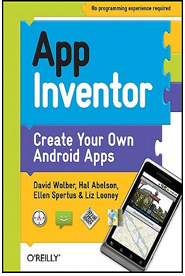
The first App Inventor book is here! App Inventor: Create Your Own Android Apps is now available in paperback and electronic version at O’Reilly (http://oreil.ly/AppInvBook) and in paperback form at Amazon
(http://www.amazon.com/App-Inventor-David-Wolber/dp/1449397484).

My co-authors are App Inventor creator Hal Abelson and Ellen Spertus and Liz Looney from the App Inventor team. The book has step-by-step tutorials of twelve apps and an “Inventor’s Manual” section that expands on the programming and computer science concepts in the tutorials.

We designed the book to serve as both a how-to guide for mobile app development and a textbook for beginning computer science courses at the university or K-12 level.

If you’ve never programmed but want to learn how to create a mobile app, App Inventor and this book is for you. I’ve been teaching App Inventor to humanities and business students for two years; the book targets a similar audience, explaining things in layperson terms for the absolute beginner.

If you are already a programmer, but want to learn App Inventor, the book provides a comprehensive overview of the language and the environment. You’ll be surprised how quickly you can create apps and the advanced chapters of the book introduce you to advanced topics like connecting apps to the web.